Load photos or clips
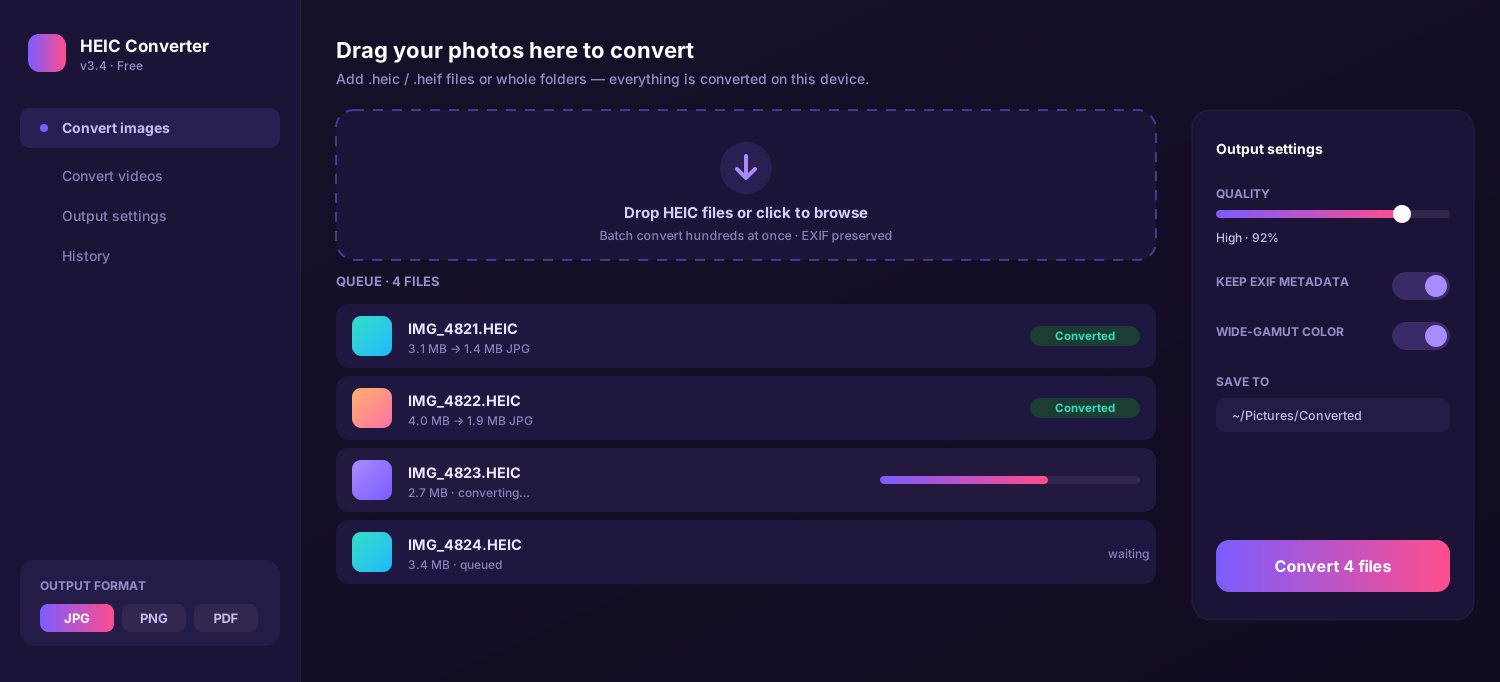
Grab the free app for Mac or PC and drop in HEIC stills, HEVC videos or whole folders. Photos and movies sit in the same queue side by side.
One desktop app that does the whole job: turn HEIC photos into JPG, PNG, PDF or TIFF, re-encode HEVC video to MP4, and trim a bloated photo library to reclaim space. Pick any output, set the resolution, and convert hundreds of files at once. Free and fully offline.
Photos or video, a single file or a full library — load it, choose the format and resolution, and let the app write clean copies wherever you want them.
Grab the free app for Mac or PC and drop in HEIC stills, HEVC videos or whole folders. Photos and movies sit in the same queue side by side.
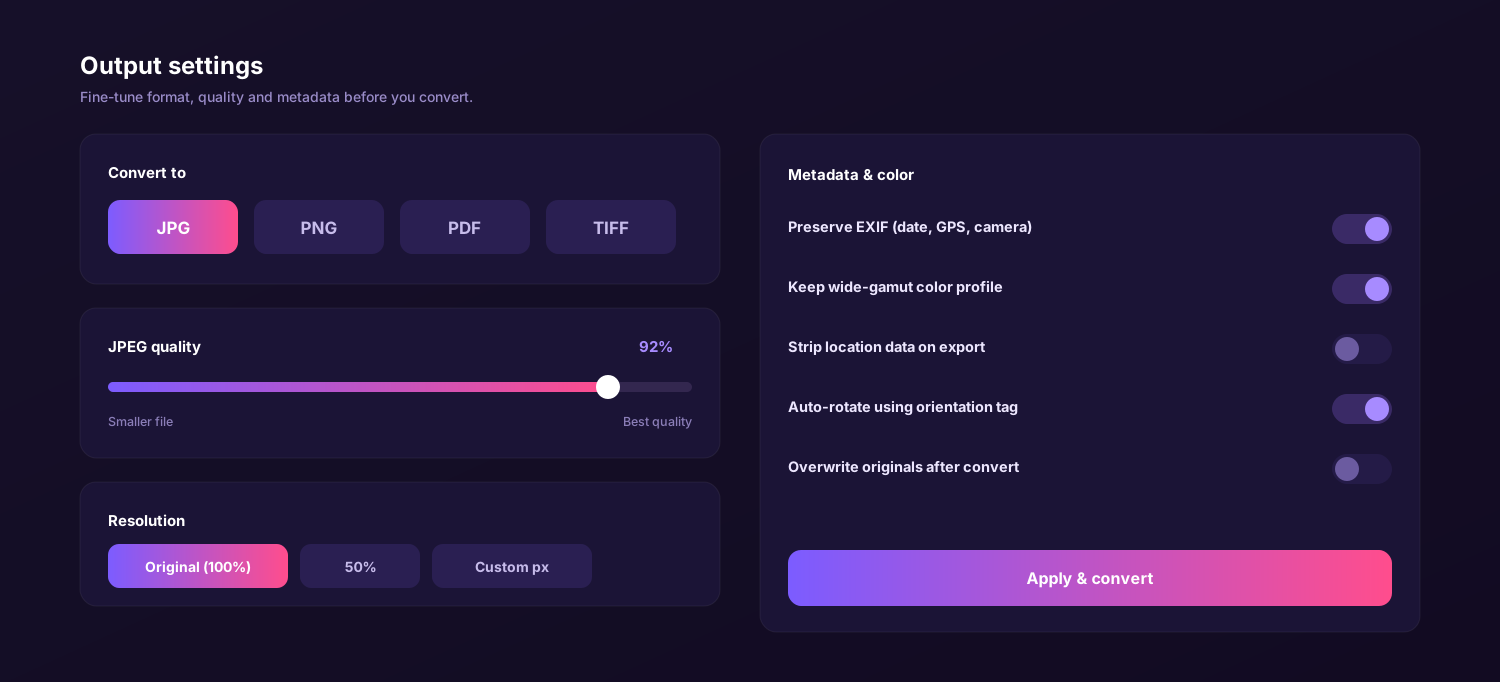
Choose JPG, PNG, PDF or TIFF for photos, MP4 for video, then dial in quality and resolution — full size, a percentage, or exact pixels.
Run the batch, save the copies, then clear the HEIC originals you no longer need to free up storage. Done in a single pass.
Every output you might need from an iPhone library, gathered into one small app — stills, documents and movies alike.
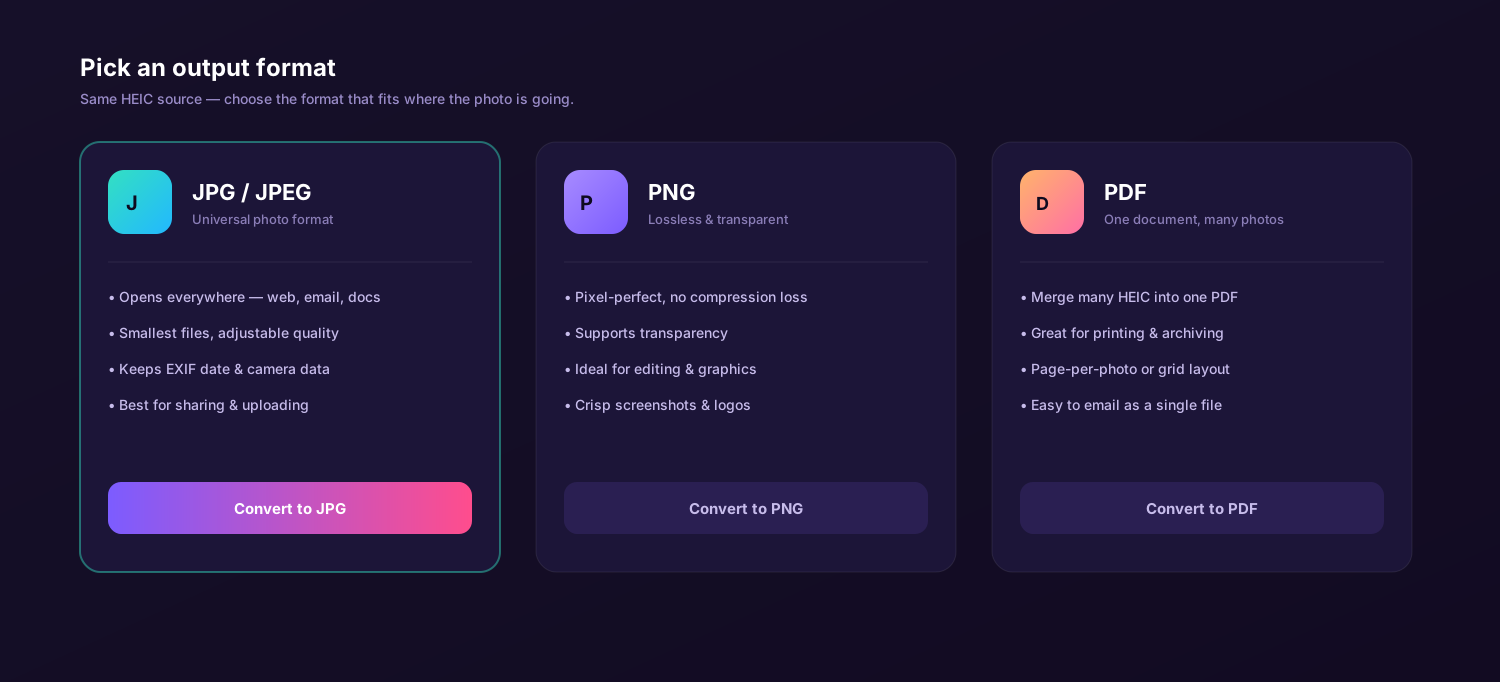
Save the same HEIC shot whichever way the moment calls for — JPEG for sharing, PNG for transparent edits, TIFF for print houses, or merge a set into a single PDF. As a versatile heic to jpg converter, the app lets you switch output per job instead of juggling four separate tools.
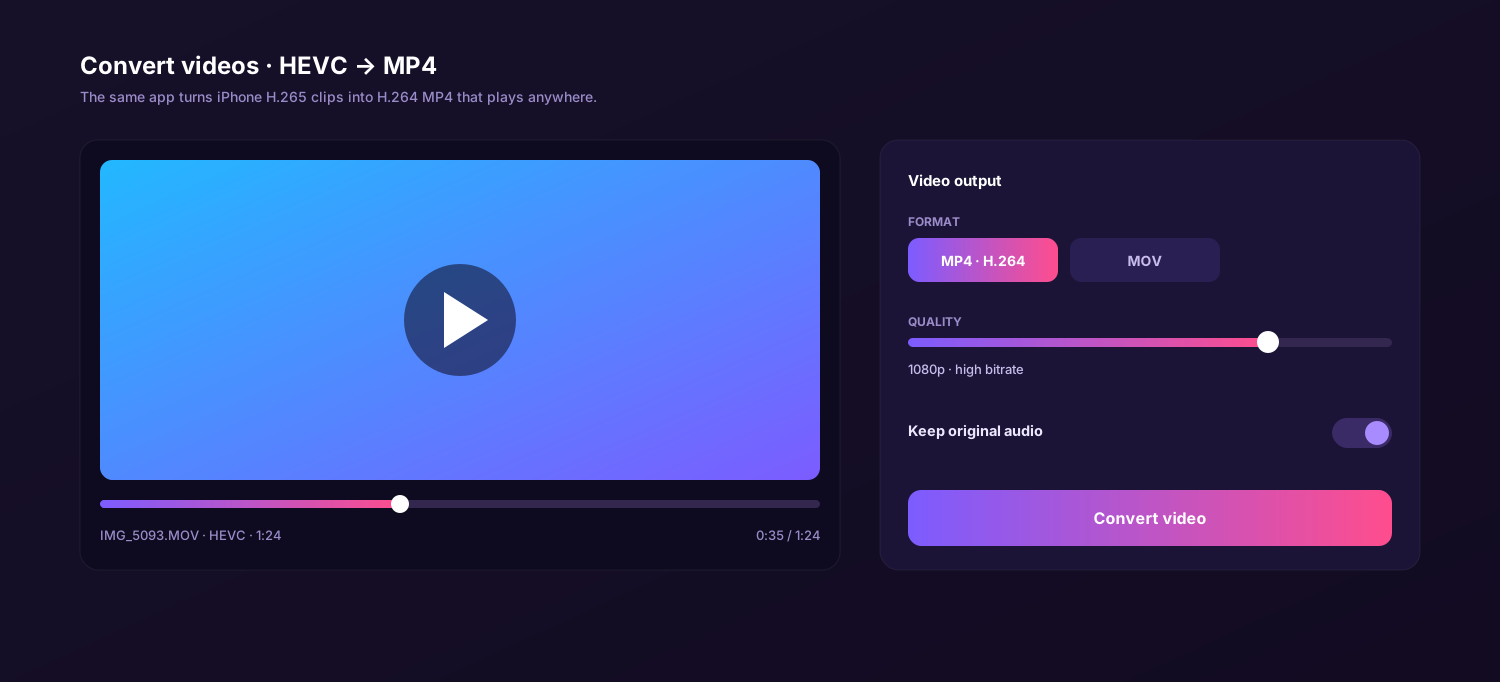
Re-encode iPhone H.265 clips to H.264 MP4 that plays everywhere — audio and resolution intact.
Convert a heavy library, then clear the leftover HEIC originals to win back gigabytes of space.
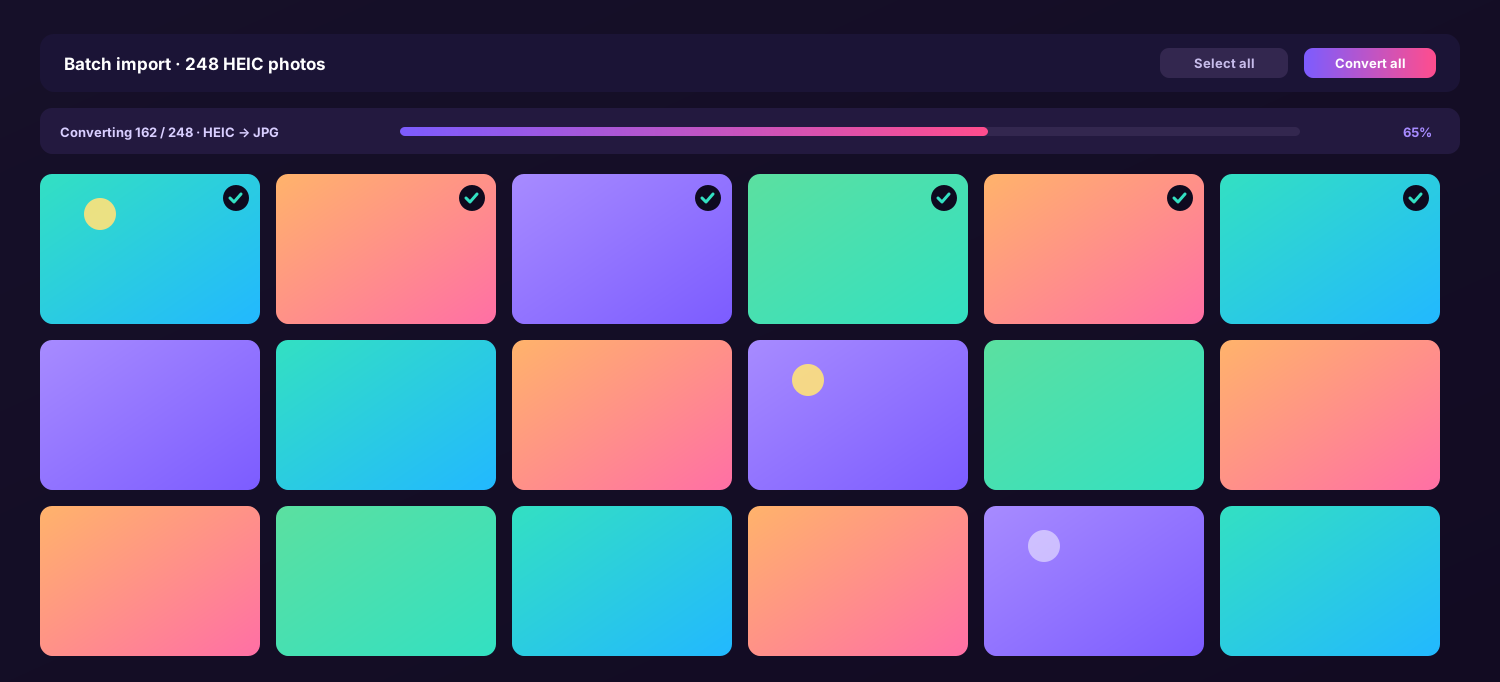
Drop entire folders of photos and videos and process them in one run, mixing outputs without per-file clicking.
Set the quality slider and resize on export — full size, a percentage, or exact pixel dimensions.
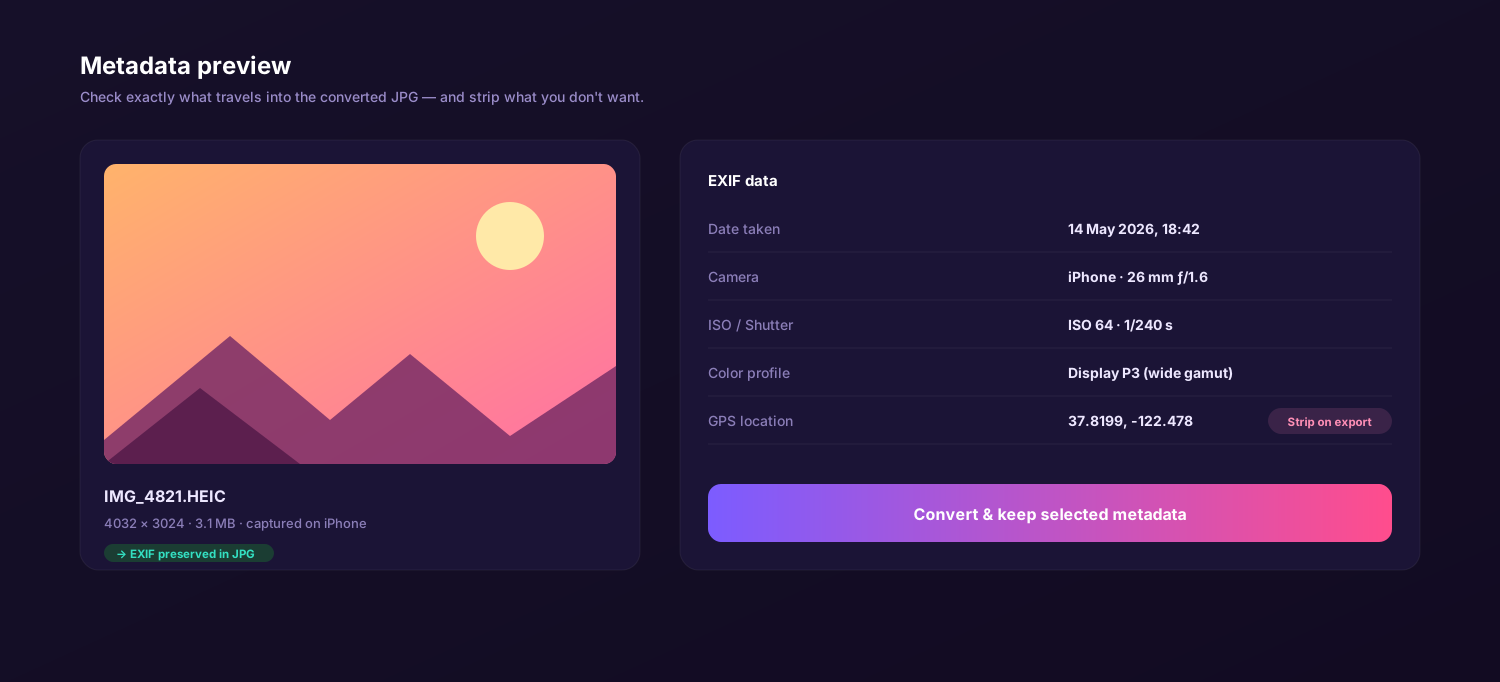
Date, camera, GPS and Display P3 color carry across — or strip them on output when you prefer.
Click through the tabs to see the mixed queue, a full library import, the four-format picker, resolution settings, the metadata view and HEVC video conversion.
What changes when photos, documents and video all run through the same desktop app.
| Capability | This app | Web converter | Preview / Photos | Separate video tool |
|---|---|---|---|---|
| JPG, PNG, PDF & TIFF output | JPG/PNG | JPG/PNG | ||
| HEVC video to MP4 | ||||
| Resolution & quality control | Varies | Limited | ||
| Reclaim storage after converting | Manual | |||
| One install for everything | ||||
| Price | Free | Free / paid tiers | Free | Often paid |
↔ swipe to compare all columns
A native build for each platform converts photos and video locally — nothing is uploaded.
On a MacBook, iMac or Mac mini the app pulls photos and videos straight from Photos or Finder and exports JPG, PNG, PDF, TIFF or MP4 beside the originals. It is a universal binary built for both Apple Silicon and Intel.
On Windows, iPhone HEIC photos and HEVC videos often refuse to open. The app handles both without any Microsoft Store add-on — drop files in, choose a format, and they play or open in any Windows program.
My phone library was a mess of HEIC photos and HEVC clips that nothing on my work PC could open. This HEIC converter turned the stills into TIFF for our print job, the rest into JPG, and every video into MP4 — then I wiped the originals and got back 40 GB.
The whole toolkit for Mac and Windows. Convert HEIC to JPG, PNG, PDF or TIFF, turn HEVC video into MP4, and reclaim storage — no subscription, no watermark, no daily limit.
A modern iPhone fills its library with two space-saving formats at once: HEIC for stills and HEVC for video. Both look great on the phone, yet both stumble the moment you move them to another computer. The app on this page is a single heic converter that handles the whole library — photos into four output types, video into MP4, and the cleanup that wins back the storage those files were eating.
Most people stitch together three or four utilities for all of that. This one desktop tool replaces them: a heic image converter, a heic to pdf converter, and a video re-encoder in the same window. Drop in a folder, choose what each file should become, and the app writes clean copies locally — no account, no daily limit and no upload. Because it is a free heic converter you keep, the same workflow covers a single screenshot or a year of holidays.
What "all-in-one" really means here: JPG, PNG, PDF and TIFF for photos, H.264 MP4 for video, plus a way to clear converted originals and reclaim space — every one of those tools is included, free.
HEIC (High Efficiency Image Container) packs about the same picture quality as JPEG into roughly half the size, and HEVC does the same trick for video. The catch is compatibility: editors, office suites and older players often cannot read either. A complete heic file converter solves that by decoding the original and re-encoding it into whatever standard the destination expects.
The output you pick depends on the task. JPEG keeps files small for web and email, so a quick heic to jpg converter free of fuss covers most sharing. For a lossless, transparent copy a heic to png converter is the right call, and TIFF suits print work that demands maximum fidelity. For paperwork, a heic to pdf converter merges many shots into one document, while iPhone footage runs through the built-in HEVC-to-MP4 path so it plays anywhere.
"Receipts went to PDF, the gallery shots to TIFF for printing, and the kids' clips to MP4 — all in one pass, then I deleted the originals."
macOS reads HEIC and HEVC happily, but the apps and people you send files to usually cannot — so a capable heic converter to jpg, with a video tool beside it, still earns its place on a MacBook, iMac or Mac mini.
Select stills and HEVC movies together in Photos, Finder or an AirDrop folder and drop them in. As a free heic to jpg converter that also reads video natively, the app needs no extra codec or plug-in.
Send some shots to JPEG, others to TIFF for the print shop, and the videos to MP4. A good heic to jpeg converter should keep Display P3 color and EXIF intact while it does so, and this one does.
Merge a set into one file with the built-in heic to pdf converter for receipts or scans, then clear the converted HEIC originals to reclaim gigabytes.
Photos and video, one queue. On macOS the app keeps EXIF and P3 color intact while it writes copies in whatever format each file needs.
A web tool is fine for a single image, but it rarely touches video, caps how many files you can run, and asks you to upload private photos. Three honest reasons the toolkit approach wins for a real library.
Windows is where an iPhone library causes the most grief — double-click a HEIC photo or an HEVC clip and neither opens without a paid codec. This app is the simplest heic converter to jpg for a PC and a video converter at the same time: install it, drag the files in, and they become standard images and MP4 movies that File Explorer, Office and every browser handle normally.
It is more than a photo tool. As a heic converter to pdf it turns a stack of snapshots into one printable document, and the resolution controls shrink huge stills before export. Everything runs on the PC itself — as a free heic to pdf converter that never uploads anything, it keeps personal files off the open web.
The routine is identical on both platforms and takes about a minute, even for a mixed folder of photos and video. Your last choices are remembered for next time.
Get the free app for macOS or Windows from the Download button above — a tiny installer with the full toolkit and nothing extra.
Add single files or whole folders. The queue lists each item with its type and projected output size.
Pick JPG, PNG, PDF or TIFF for stills and MP4 for video, dial in resolution and quality, and decide whether EXIF and GPS data carry over.
Click Convert. Copies land in your chosen folder in seconds, and you can clear the converted originals to free up storage.
Set it once. Format, resolution and metadata choices are saved for the next batch.
A few years of HEIC photos and HEVC video quietly swallow tens of gigabytes. Converting them into the formats you actually use is the first step; clearing the redundant originals afterward is what gives the storage back. Doing both in one app — on your own machine — beats shuffling files between a website and a separate cleanup tool.
The app re-encodes photos and video entirely on your Mac or PC, then lets you review and clear the HEIC and HEVC files you no longer need. As a free heic to jpg converter paired with a cleanup step, it turns a bloated library into a lean one. That is the payoff.
Whether you want a quick heic to jpeg converter free of cost for one screenshot, a heic to pdf converter free to bundle a month of receipts, or a full sweep that converts every photo and video and frees the space, one small download covers it on Mac and Windows.
One app for the whole iPhone library: a heic to jpg free converter and PNG, PDF and TIFF export, plus HEVC video to MP4 and storage cleanup. Free download, no subscription, no watermark — works offline on Mac and Windows.
Photos can be saved as JPG, PNG, PDF or TIFF, and iPhone HEVC clips can be re-encoded to H.264 MP4. One app handles every output, so you pick the format per job instead of installing separate tools.
Yes. It is a free heic converter with the whole toolkit unlocked — no trial timer, no watermark and no daily cap. Photo conversion, PDF and TIFF export, and HEVC to MP4 video are all included at no cost.
Yes. Alongside the heic to jpg converter for stills, the same app re-encodes HEVC (H.265) recordings into H.264 MP4 that plays on any laptop, TV or web page, with the original audio and resolution preserved.
After a batch run you can review the original HEIC files and clear the duplicates you no longer need, so an overstuffed photo library shrinks. You choose the output folder and decide which originals to keep.
Yes. Set the JPEG quality slider, keep full resolution or resize by percentage or exact pixels, and decide whether EXIF data and Display P3 color travel into the new file.
Yes. The same heic file converter runs natively on macOS 12 through 26 and on Windows 10 and 11, converting photos and video locally without uploading anything to the internet.